How SMS Consent Works on Easy Vite
Publish on: easyevite.com/sms-consent
Easy Vite facilitates event hosts in sending invitations and reminders via text message. The following outlines the complete opt-in workflow hosts must complete before any SMS is transmitted.
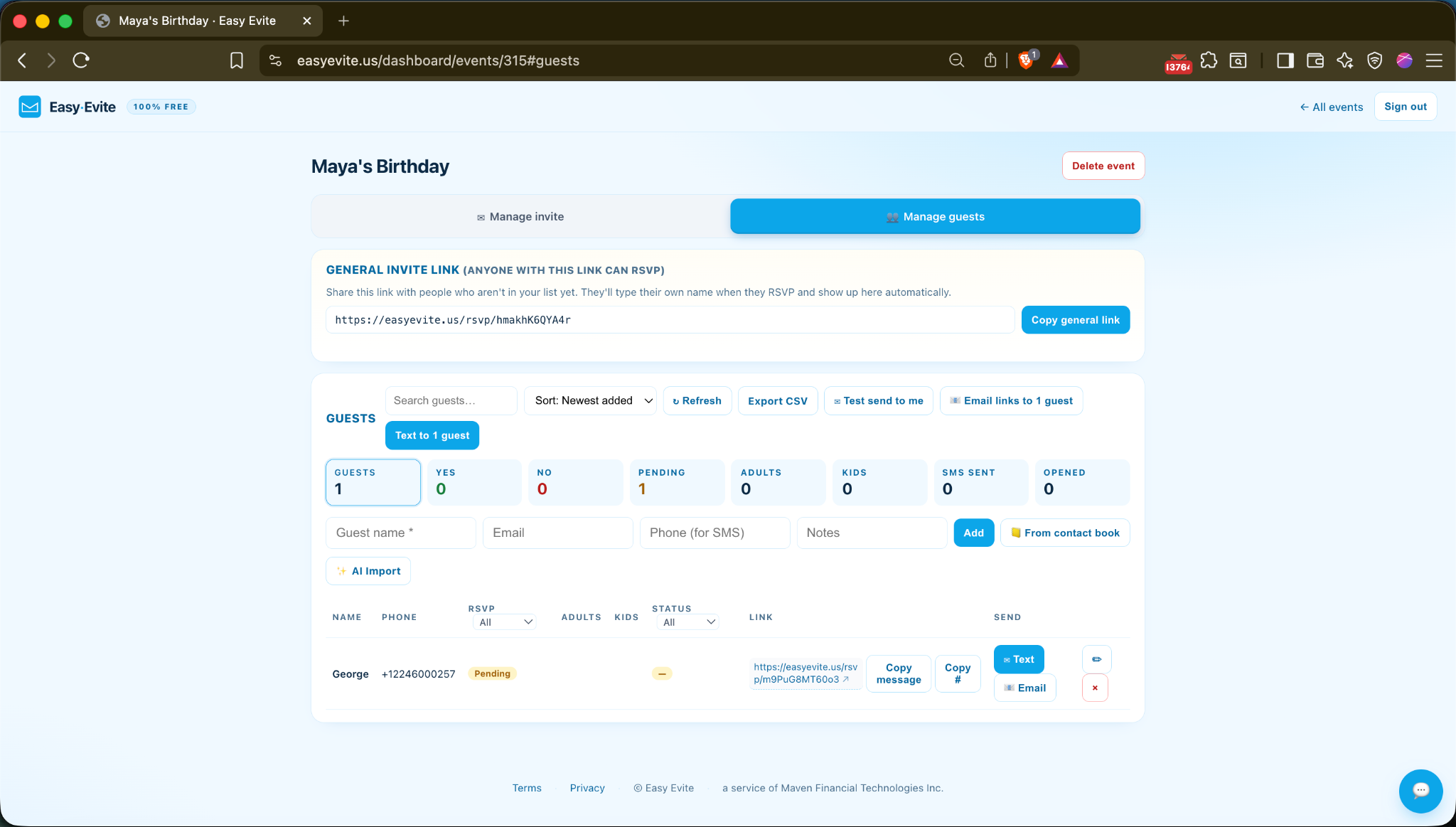
1 — Manage Guests
"The host adds guests they personally know, including an optional phone number for SMS delivery."
2 — Manage Invite → Delivery Choice
"The host chooses how invitations are sent. SMS is optional; hosts can also send manually from their own phone or by email."

3 — The Consent Checkbox (Unchecked)
"Before any SMS can be sent, the host must confirm each guest has agreed to receive Easy Vite texts about this event. Sending is blocked until this is checked."
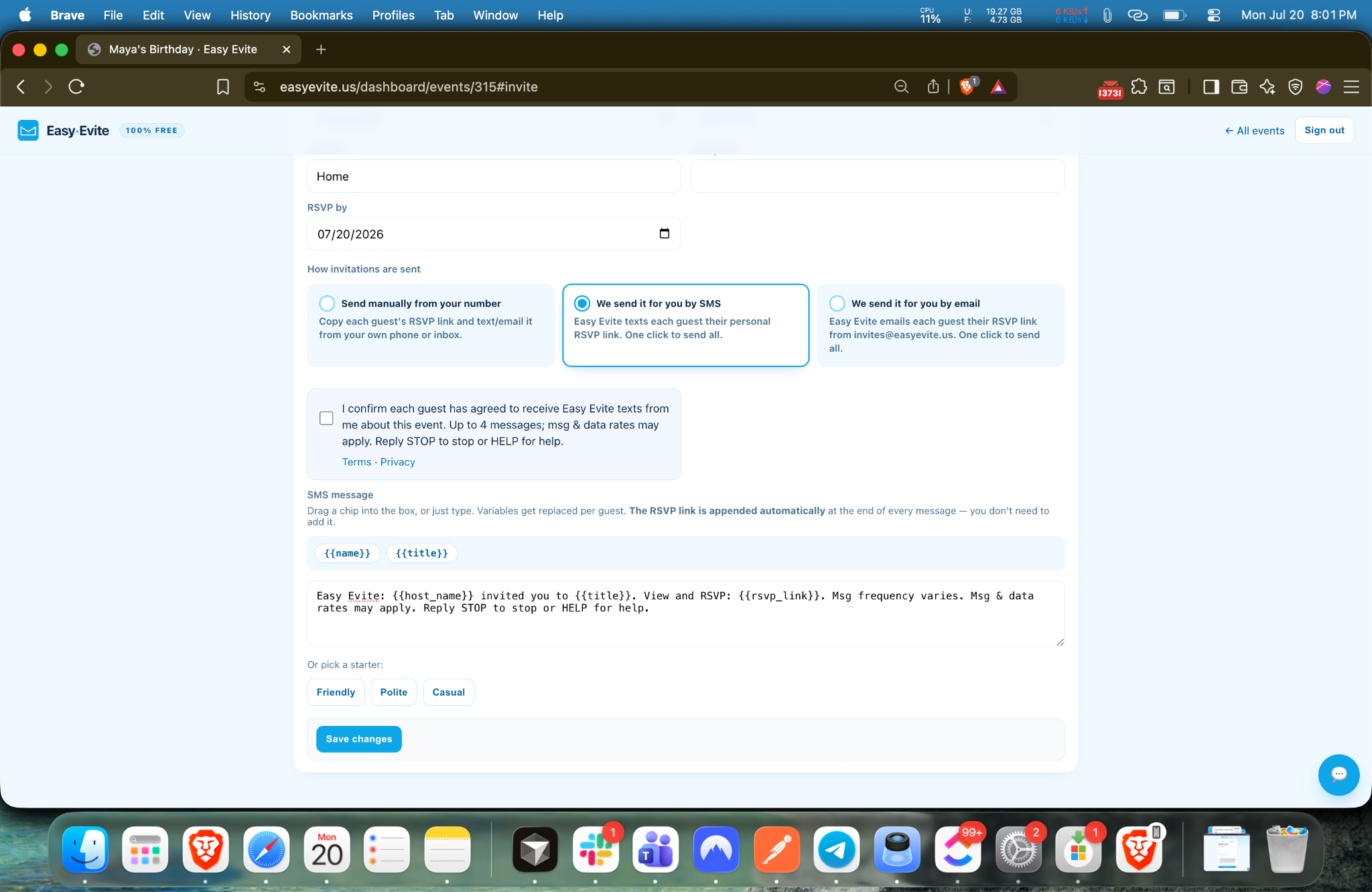
4 — The SMS Composer with the Final Message
"Every message identifies the host, states message frequency and rates and includes STOP and HELP."
5 — What the Guest Receives
"Easy Vite: Maya invited you to Maya's Birthday. View and RSVP: easyevite.com/rsvp/xxxx. Msg frequency varies. Msg & data rates may apply. Reply STOP to stop or HELP for help."